
Everyday use
Settings
Who sees the notice, language, width, products to leave out and the GARAN label style, with a live preview.
Open Notice in Assay’s menu. Changes appear in the Preview straight away, and are kept when you click Save in Shopify’s save bar. The preview is composed from the same artwork your storefront uses.
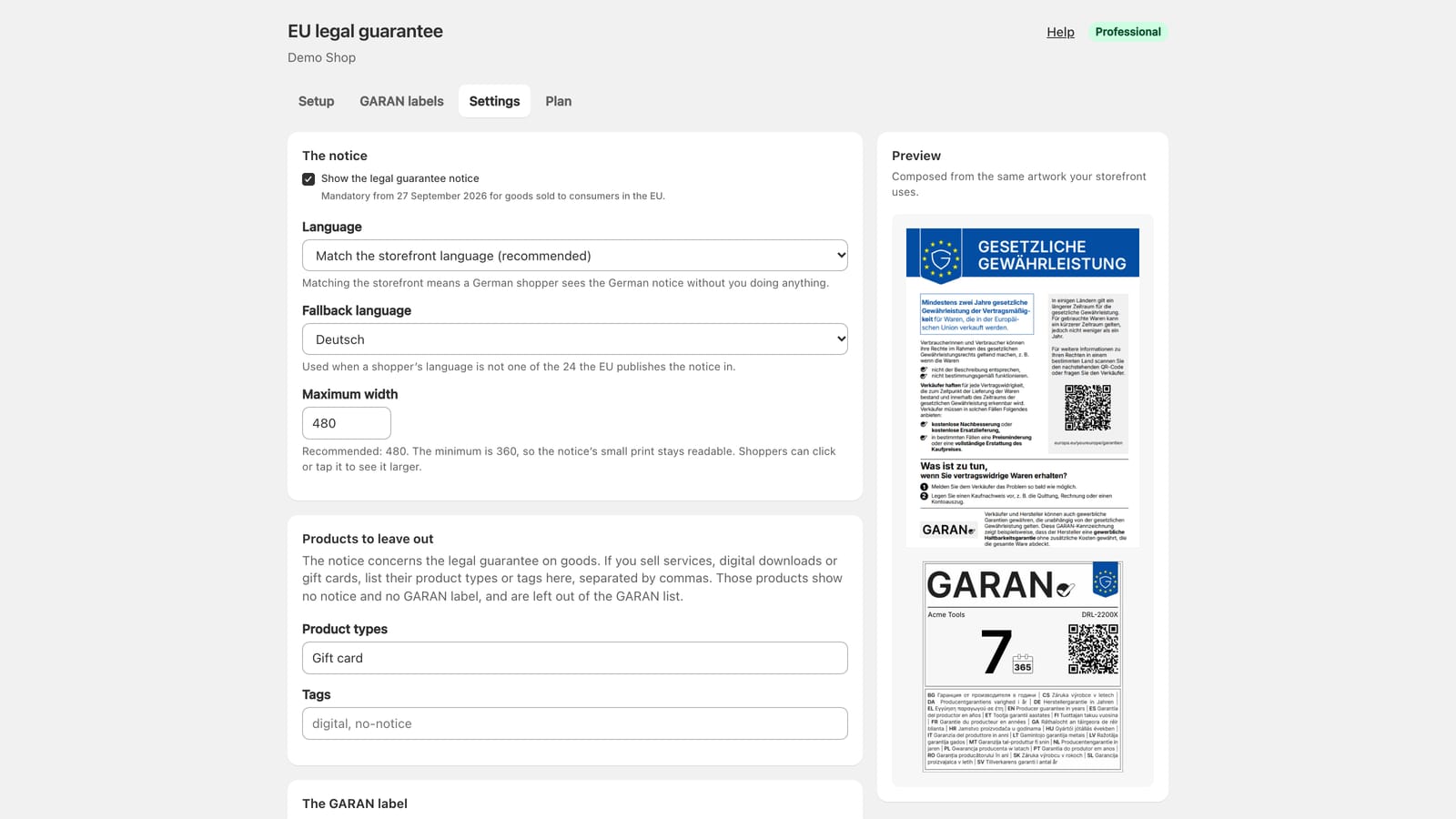
The notice
- Show the legal guarantee notice. On by default. Only switch it off if you do not sell goods to consumers in the EU: from 27 September 2026 the notice is mandatory for those sales.
- Who sees the notice. Everyone (recommended), or EU and EEA shoppers only: the 27 EU member states (with Åland and the outermost regions that Shopify lists as countries of their own, such as Réunion and Guadeloupe), Iceland, Liechtenstein and Norway. The GARAN label follows the same choice. Available on every plan. Read the warning below before you choose it.
- Language. Match the storefront language (recommended), or fix one language for every shopper. See Languages.
- Fallback language. Used when a shopper’s language is not one of the 24 the EU publishes the notice in.
- Maximum width. Recommended 480px; the minimum is 360px, so the notice’s small print stays readable. Shoppers can click or tap the notice to see it larger.
EU and EEA shoppers only
Shopify works out each shopper’s country from their location, or from the country they chose in your store. That can be wrong. A shopper in the EU whom Shopify places in another country does not see the notice, and the notice is mandatory for that sale. Keep Everyone unless you have a reason to hide the notice elsewhere.
With this choice, a shopper outside the EU and EEA sees neither the notice nor the GARAN label, and Assay adds nothing to the page for them. A shopper whose country Shopify does not know still sees the notice. In the theme editor, a preview for a country outside the list shows a note, visible only to you, saying why nothing appears.
On Assay Professional, the theme editor’s size, alignment and spacing settings on the block override this width for that block.
Products to leave out
The notice concerns the legal guarantee on goods. If you sell services, digital downloads or gift cards, list their Product types or Tags here, separated by commas (for example Gift card, Service or digital, no-notice).
Those products show no notice and no GARAN label, and are left out of the GARAN list. In the theme editor, a product you have left out shows a note, visible only to you, saying why nothing appears.
The GARAN label
- Show the GARAN label on products that have one. On by default. Turning it off hides every label without clearing any fields.
- Style. Full label, or Compact (nested display), one line tall, which opens the full label on click or hover. The compact display is part of Assay Professional.
Not answered here? Email [email protected] with your shop's myshopify.com address. We usually reply within one business day.